
Client documents under control

Keep all of a client's documents in one place, see on a checklist what is missing, and prepare files for MOS requirements without separate tools.

Document management

One catalogue for every client

Each document has a type, dates, files and a history. The system shows what is collected, what will soon expire, and whether the package fits MOS.

JPGPNGHEICPDF

Automatic document processing for MOS

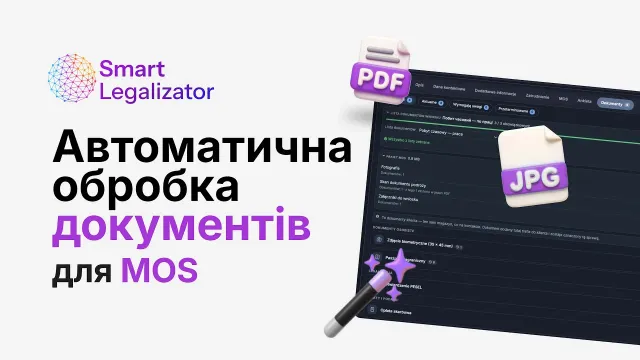
A short demo: the system merges several pages into one PDF, converts files to the right format and shrinks them to the limits of MOS.

Cover of the video on automatic document processing for MOSCover of the video on automatic document processing for MOS

All of a client's documents in one place

  • The contact and the case show the same catalogue, so nobody has to search for a file or duplicate it.
  • Documents are grouped by kind. Personal, legalization, work and housing, and fees and taxes each have their own place.
  • A case also shows the documents of family members who apply together with the applicant.

A checklist for every application

  • The list of documents depends on the kind of application and the purpose of stay.
  • You can see what is collected, what is missing and what is required.
  • You can upload a document straight from the checklist, and change the list for a single case.

Expiry dates and versions

  • Filters show valid documents, expired ones and those that need attention.
  • Ahead of its expiry date a document gets a mark and shows how many days are left.
  • A new version sends the previous one to the history, where it is kept for good. A deleted document stays in the bin until its retention period ends.

Files prepare themselves

  • A file over the limit is compressed on upload, and long PDFs are processed in the background.
  • iPhone photos (HEIC) and screenshots (PNG) are converted to JPEG, which MOS accepts.
  • Several files of a document are merged into one PDF, and each file gets a standard name in Latin letters.

The MOS package

  • A MOS application takes files in three places. The system shows what goes to the photo, the travel document scan and the attachments.
  • The size of each step is compared with the portal's limit. A step that is too large is marked, and its files can be compressed again.
  • During autofill, the checklist's files go into the application together with the data.
More about MOS

Documents from the client

  • In the questionnaire, the client sees their case's checklist and uploads each scan under the right type.
  • In their cabinet, the client adds documents to their case and sees which of them need attention.
  • An original can be scanned in the mobile app, and it goes straight to the client's card.

Old files do not get lost

  • Files added earlier to a contact or a case are gathered in a separate list.
  • Give a file its type and it becomes a document card with dates and a place on the checklist. Nothing is copied.
  • You can sort them in parts. Files without a type stay on the list.

What this gives your team

Before

  • Documents are scattered across mail, messengers, drives and folders.
  • To find out what a case is missing, a specialist checks the files by hand.
  • Expiry dates have to be tracked by hand or in a separate spreadsheet.
  • Scans are compressed, converted and merged in separate tools.

After

  • All of a client's documents are in one catalogue.
  • The checklist shows what is collected and what is missing.
  • The system marks documents that are about to expire or have expired.
  • Files are prepared for MOS requirements inside the system.

Frequently asked questions

Didn’t find your answer? Write to us.

What files can be uploaded?

PDF, JPG, PNG and HEIC. The system converts PNG and HEIC to JPEG, so the card keeps a format MOS accepts. A particular document type may accept fewer formats.

Does the system change the original files?

Merging does not change the card's files, because the PDF is created separately. If a file had to be compressed, the original stays in the bin until it is emptied, and it can be restored.

Can the checklist be changed?

Yes. For a single case you can add a document, remove one you do not need, or change whether it is required. If a kind of application has no checklist, you can build a list for that case.

How many documents can be stored?

Storage and the number of uploads depend on the package. See pricing.

Does SmartLegalizator submit documents to MOS itself?

No. SmartLegalizator adds the files to the application during autofill, while checking and submitting stay with the specialist.

See how it works for your team

Leave a request, and we will show you how SmartLegalizator can help your company work with documents.

By submitting the form, you agree to the Privacy Policy.